Hogar Aplicaciones Personalización Ringtone Maker:crea tono
Ringtone Maker:crea tono

Ringtone Maker:crea tono

Personalización
  • Plataforma:Android
  • Versión:3.0.1
  • Tamaño:22.4 MB
  • Desarrollador:Big Bang Inc.
4.7
Descripción

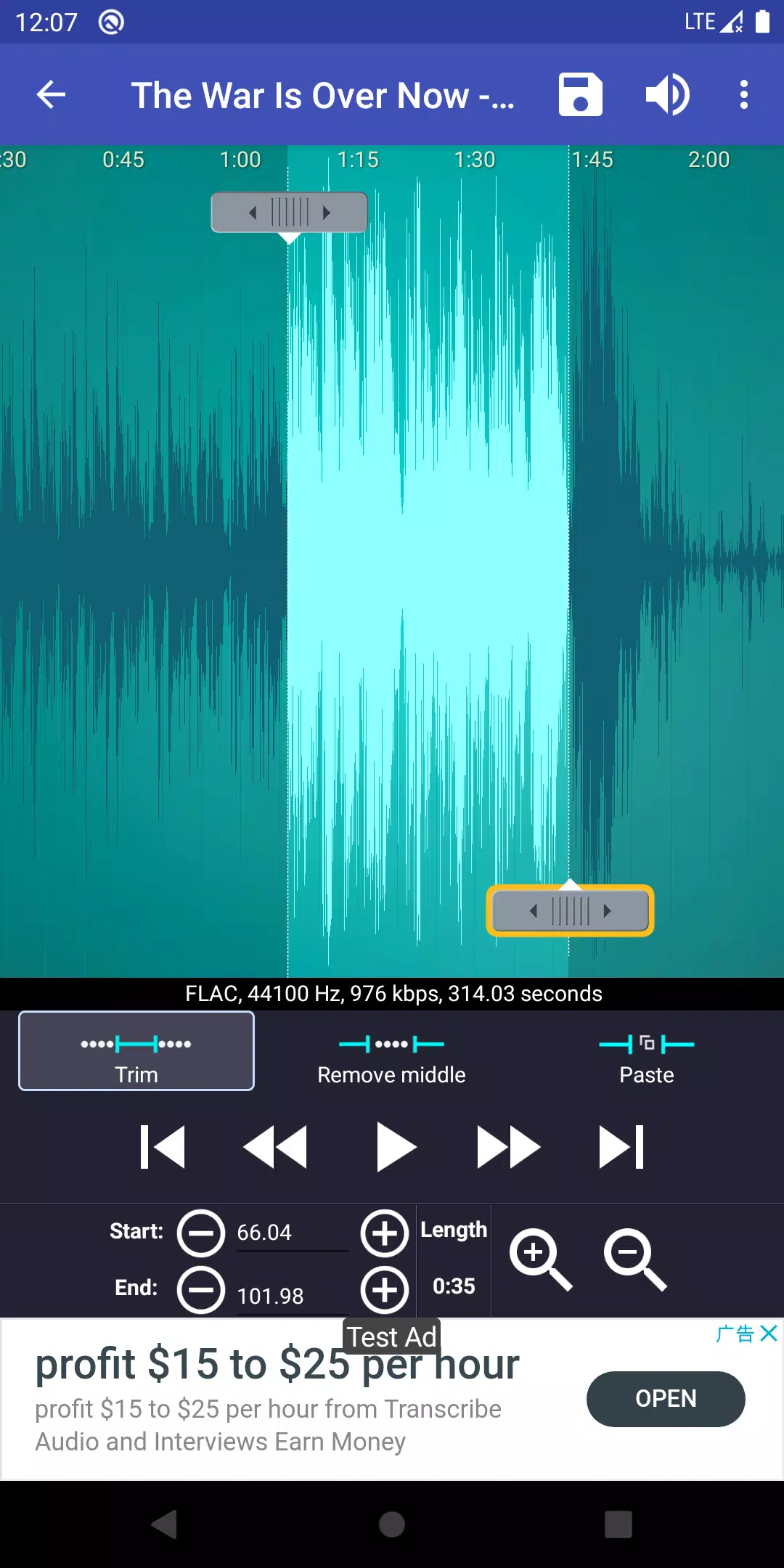
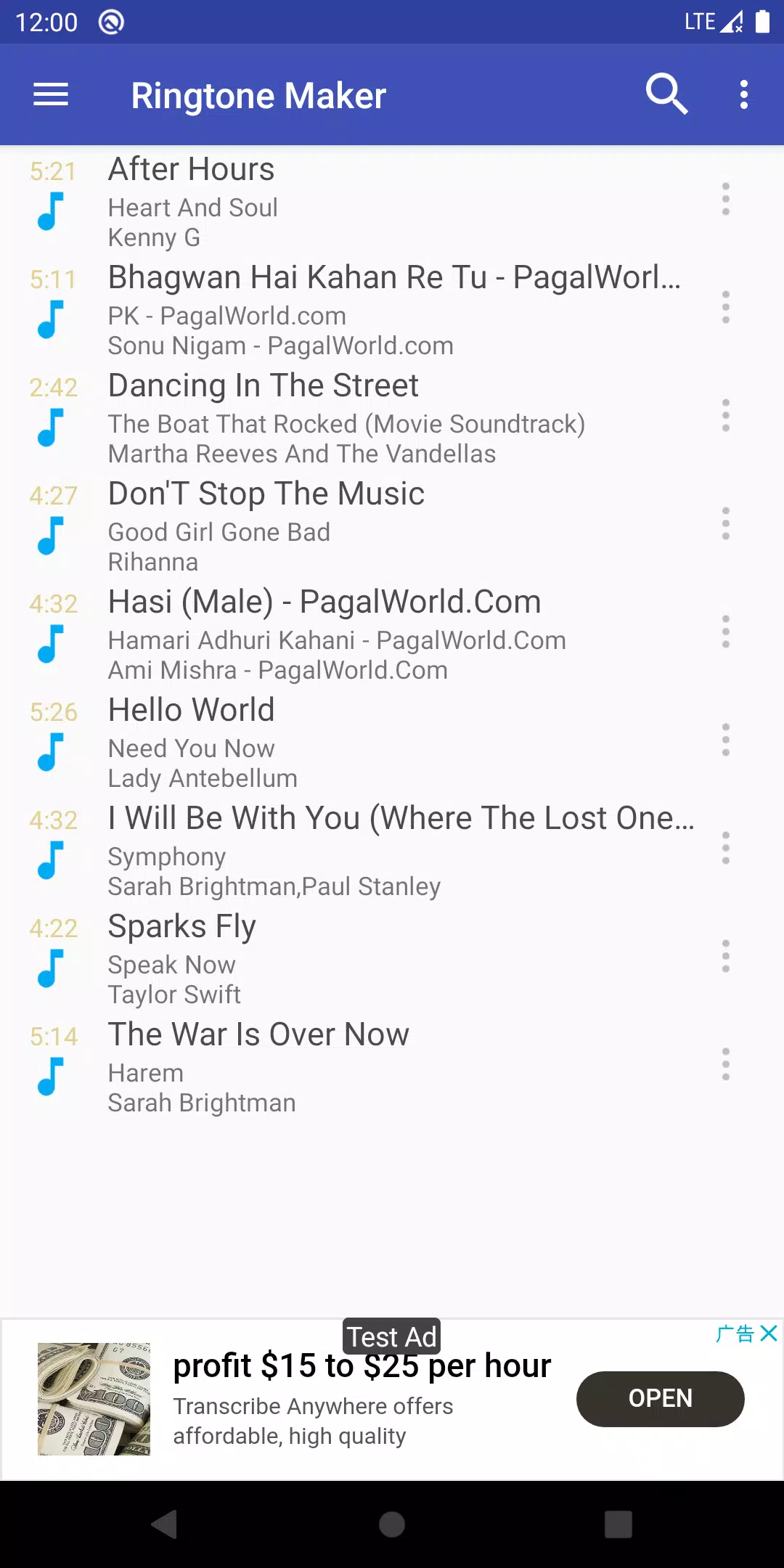
Ringtone Maker es una aplicación versátil diseñada para ayudarlo a crear tonos de llamada personalizados, alarmas y notificaciones de una variedad de formatos de audio que incluyen MP3, FLAC, OGG, WAV, AAC (M4A)/MP4, 3GPP/AMR y archivos MIDI. Con esta aplicación, puede extraer fácilmente la mejor parte de su canción favorita y guardarla como su tono de llamada, alarma, archivo de música o tono de notificación únicos.

Crear sus propios tonos de llamada personalizados es rápido y directo. Puede establecer los puntos de inicio y finalización de su clip de audio deslizando flechas a lo largo de la línea de tiempo, presionando los botones de inicio y finalización para marcar los puntos, o ingresando sellos de tiempo específicos. Más allá de solo un fabricante de tono de llamada, esta aplicación sirve como editor musical integral, fabricante de tono de alarma, cortador de tono de llamada y creador de tono de notificación.

Además, tiene la opción de grabar su propia voz o la voz de su hijo, transformando estas grabaciones en tonos de llamada personalizados o notificaciones. ¡Imagine la alegría de que se le recuerde que responda una llamada por el sonido de la voz de su hijo!

Características:

  • Descargas gratuitas de tono de llamada y música.
  • Copie, corte y pegue las funcionalidades, lo que le permite fusionar diferentes archivos de música sin esfuerzo.
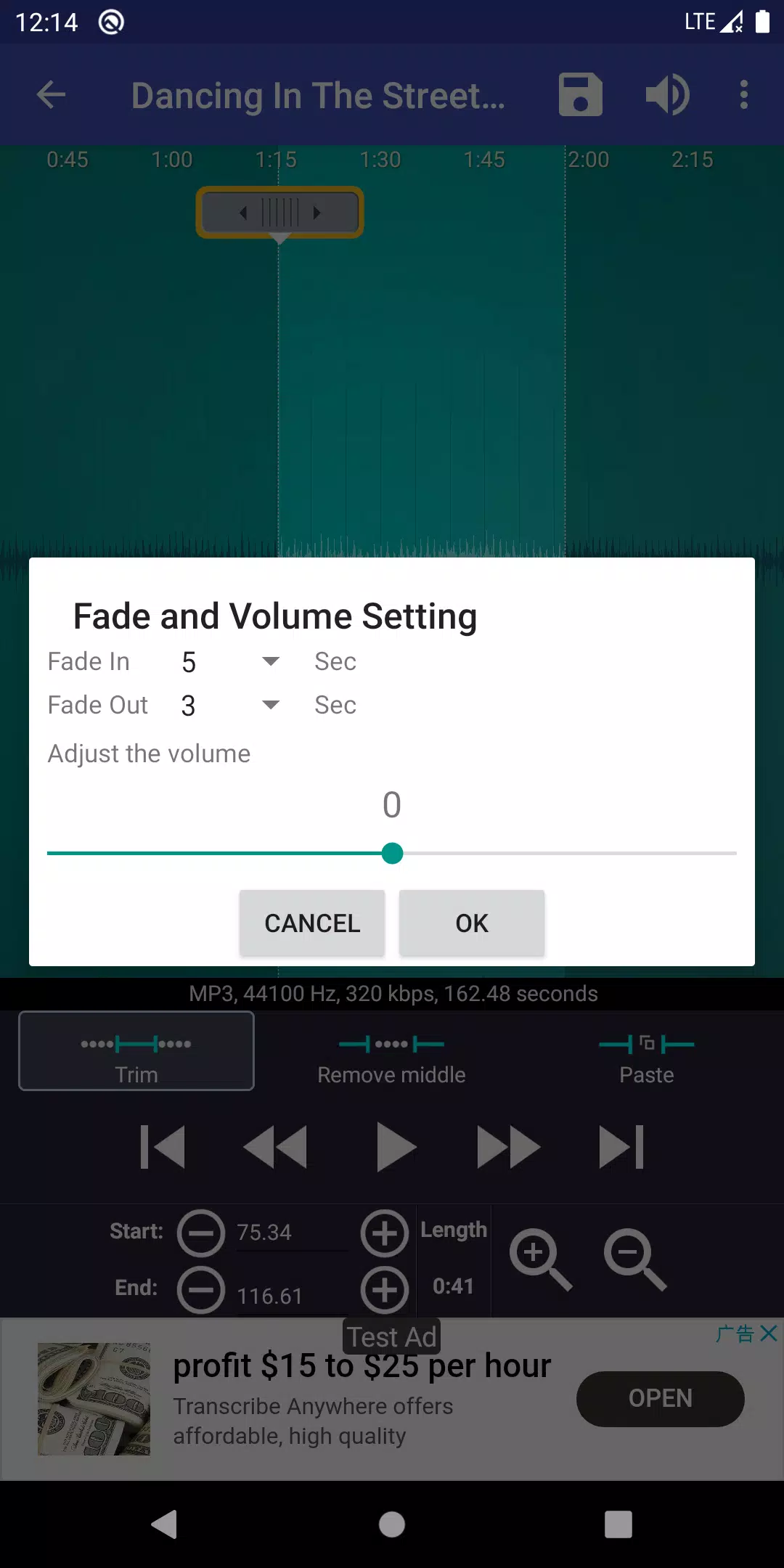
  • Efectos de entrada/salida para archivos MP3.
  • Ajuste de volumen para archivos MP3.
  • Vista previa de los archivos de tono de llamada y asignarlos a los contactos.
  • Vea una forma de onda desplazable del archivo de audio en seis niveles de zoom.
  • Establezca puntos de inicio y finalización para clips dentro del archivo de audio utilizando una interfaz táctil.
  • Reproduzca la parte de audio seleccionada con un cursor indicador y una forma de onda de desplazamiento automático.
  • Toque en cualquier lugar de la pantalla para reproducir el audio.
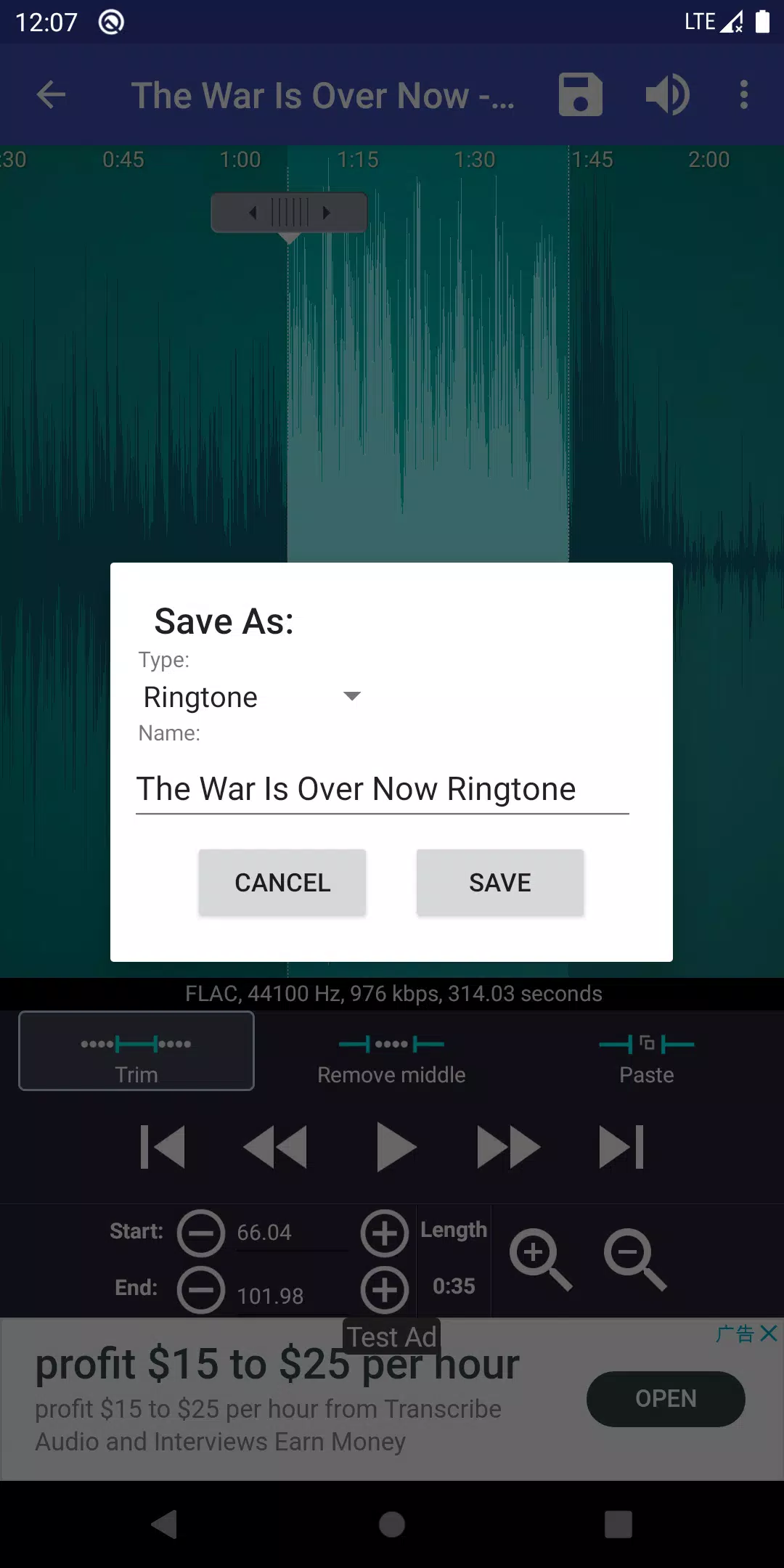
  • Guarde el audio recortado como un archivo nuevo y clasifíquelo como música, tono de llamada, alarma o notificación.
  • Grabe nuevos clips de audio para la edición.
  • Eliminar archivos de audio.
  • Asigne directamente tonos de llamada a los contactos, con opciones para reasignar o eliminar.
  • Ordenar los medios por pistas, álbumes y artistas.
  • Gestionar los tonos de llamada de contacto.
  • Las rutas de guardado predeterminadas se pueden personalizar en la configuración de la aplicación:
    • Tono de llamada: almacenamiento interno/tonos de llamada
    • Notificación: almacenamiento interno/notificaciones
    • Alarma: almacenamiento interno/alarmas
    • Música: almacenamiento interno/música

Para aquellos que buscan una experiencia sin anuncios, puede optar por la versión pagada disponible en este enlace .

Música que no muestra:

El sistema Android puede ser lento para actualizar su base de datos musical, lo que puede retrasar la visibilidad de la música recientemente descargada. Para acelerar este proceso, use el menú "Escanear" dentro de "Ringtone Maker" para forzar una actualización. Tenga en cuenta que los archivos de Google Play Music están ocultos y no pueden acceder directamente a otras aplicaciones. Como solución alternativa, puede acceder a Google Music a través del navegador Chrome en su teléfono, seleccionar el sitio de escritorio, elegir su canción y descargarla en su dispositivo. Una vez descargado, "Ringtone Maker" podrá ubicar y usar el archivo.

Información legal:

Las tonos de llamada y las descargas musicales dentro de la aplicación Ringtone Maker tienen licencia bajo el dominio público y/o licencias Creative Commons, con créditos proporcionados dentro de la aplicación.

Preguntas frecuentes:

Para obtener más información, visite la página de preguntas frecuentes .

Tutorial:

Para una guía paso a paso, consulte el tutorial .

Explicación para los permisos:

  • android.permission.internet : requerido para la funcionalidad de la aplicación.
  • android.permission.read_phone_state : necesarios por las compañías publicitarias para mejorar la calidad de los anuncios.
  • android.permission.access_network_state : también requerido por las compañías publicitarias para la optimización de anuncios.
  • android.permission.read_contacts y android.permission.write_contacts : estos permisos son necesarios para asignar tonos de llamada a los contactos. Ringtone Maker no recopila su información de contacto. Si le preocupa estos permisos, considere usar RingPod, que ofrece una funcionalidad similar sin requerir acceso de contacto. Puedes encontrarlo en este enlace .
  • android.permission.write_settings y android.permission.write_external_storage : estos permisos permiten que la aplicación ahorre nuevos tonos de llamada en su tarjeta SD.

Código fuente y licencias:

Para aquellos interesados ​​en los aspectos técnicos, el código fuente de RingDroid se puede encontrar en este enlace y este enlace . El código fuente de SoundRecorder está disponible en este enlace . Ambos tienen licencia bajo la licencia Apache, versión 2.0, disponible en este enlace y la Licencia Pública General Lesser GNU, disponible en este enlace .

Etiquetas : Personalización
Ringtone Maker:crea tono capturas de pantalla
  • Ringtone Maker:crea tono Captura de pantalla 0
  • Ringtone Maker:crea tono Captura de pantalla 1
  • Ringtone Maker:crea tono Captura de pantalla 2
  • Ringtone Maker:crea tono Captura de pantalla 3
Últimos artículos
CD > ER > ATK% > Speed (only if needed for turn order) ❌ Avoid: HP%, DEF%, Healing Bonus (unless for a niche support role) 2. Artifact Sets (Recommended) ✅ Best Set (High Burst DPS) 2pc: "The Wasted Heir" (Quantum) 4pc: "The Wasted Heir" (Quantum) Effect: After using an Elemental Burst, gain 30% ATK% and 30% SPD for 1 turn. This stacks up to 2 times. 💡 Why it’s great: Massive burst boost, perfect for a Quantum DPS. The 30% ATK% and SPD boost dramatically increases damage on burst turn. ⚠️ Note: Requires 2-stack management (use burst, then use another ability to refresh the buff). You’ll want to use burst, then normal attack to maintain uptime. 🔁 Alternative (if "The Wasted Heir" not available) 2pc: "Searing Moon" (Quantum) 2pc: "Stalwart and Sojourner" (Quantum) 4pc: "Searing Moon" (Quantum) Effect: After breaking an enemy, gains 20% ATK% and 20% EM (Energy Multiplier) for 2 turns. 💡 Best for: Enemies with high defense or shields, especially in Abyss floors or hard mode. 🔥 High-Efficiency Set (if you need more CDR/ER) 4pc: "The Wasted Heir" (Quantum) 4pc: "The Wasted Heir" (Quantum) + 2pc: "Searing Moon" (if you're struggling with CDR/ER) ✅ Use 2pc: "The Wasted Heir" + 2pc: "Searing Moon" only if you're maxing CDR and want extra EM for Weakness Break. 🛡️ Auras (Emblems) – Aura Selection Note: Auras (Emblems) are passive traits that enhance stats based on character level, rank, and talent level. ✅ Best Aura (Maximize Burst Damage) Emblem: "The Wasted Heir" (Quantum) Effect: After using an Elemental Burst, gain +30% ATK% and +30% SPD for 1 turn. Why: Directly increases damage output on burst turn. ✅ Best for: Single-target burst, boss fights, and hard-mode Abyss. 🔁 Alternative Auras Emblem: "The Wasted Heir" (Quantum) + 2pc: "Searing Moon" (if you want EM boost on Break) Emblem: "Searing Moon" (Quantum) Effect: After breaking an enemy, gain +20% ATK% and +20% EM for 2 turns. ⚠️ Use this only if you're fighting enemies with high defense or shields. 🧩 Talent Priorities Ultimate (Burst): Max as #1 priority (most damage output). Normal Attack: Max to maintain energy and for sub-ability usage. Skill: Max only if it provides useful utility (e.g., energy regeneration, shield, or status effect). Evasion/Defensive Skills: Usually not prioritized unless you’re in a very hard mode or need survivability. ✅ Golden Rule: Burst > Normal Attack > Skill 🎮 Team Synergy Tips Support Pairing: Use a Quantum Break DPS (e.g., Acheron, Yanqing) to trigger Weakness Breaks. Pair with a Debuff/DoT support (e.g., Herta, Pela, Fu Hua) to extend burst uptime. Include a CDR or ER support (e.g., Machina, Setaria) to enable faster bursts. Energy Management: Use characters like Sampo (if available) or Luka to regenerate energy fast. Perfect Turn Order: Place Heirs after your energy regenerator or support, so they can burst immediately. 📊 Final Build Summary Stat Target Notes Main Stat ATK% (if using 4pc The Wasted Heir) Otherwise CR or CD Sub-Stats CR > CD > ER > ATK% > SPD Prioritize CR/CD balance Artifacts 4pc "The Wasted Heir" (Quantum) Best for burst damage Emblems "The Wasted Heir" (Quantum) Boosts burst damage Talents Ultimate > Normal Attack > Skill Max Ultimate first 🏁 Final Thoughts Abyss's Chosen Heirs shines in high-damage burst fights, especially against bosses, elite enemies, and Abyss floors. "The Wasted Heir" set + 4pc emblem is unmatched for Quantum DPS in 5-star tier. Prioritize CR/CD balance, ER for energy sustainability, and team synergy. ✨ Pro Tip: Use "Quantum" or "Break" decks to maximize Weakness Break and burst damage synergy. If you have a specific version of Abyss's Chosen Heirs (e.g., Acheron, Yanqing, or another name), let me know and I’ll tailor the guide exactly to that character. Stay strong, Trailblazer. The Abyss awaits. 🌑⚔️" > Certainly! Here's a comprehensive Stat and Aura Guide for Abyss's Chosen Heirs in Honkai: Star Rail, focusing on optimal builds, stat priorities, and aura (Emblem) selection to maximize damage, survivability, and team synergy.

🌑 Abyss's Chosen Heirs – Overview

Character: Abyss's Chosen Heirs (often known as Heirs or Herald of the Abyss, depending on version)
Path: Destruction (Damage-dealing, burst-focused)
Element: Quantum
Role: Main DPS / Burst Damage Dealer
Team Role: High burst, strong single-target damage, excels against bosses and elite enemies.


Note: This guide assumes you're using the 5-star Quantum DPS character with the signature CD > ER > ATK% > Speed (only if needed for turn order) ❌ Avoid: HP%, DEF%, Healing Bonus (unless for a niche support role) 2. Artifact Sets (Recommended) ✅ Best Set (High Burst DPS) 2pc: "The Wasted Heir" (Quantum) 4pc: "The Wasted Heir" (Quantum) Effect: After using an Elemental Burst, gain 30% ATK% and 30% SPD for 1 turn. This stacks up to 2 times. 💡 Why it’s great: Massive burst boost, perfect for a Quantum DPS. The 30% ATK% and SPD boost dramatically increases damage on burst turn. ⚠️ Note: Requires 2-stack management (use burst, then use another ability to refresh the buff). You’ll want to use burst, then normal attack to maintain uptime. 🔁 Alternative (if "The Wasted Heir" not available) 2pc: "Searing Moon" (Quantum) 2pc: "Stalwart and Sojourner" (Quantum) 4pc: "Searing Moon" (Quantum) Effect: After breaking an enemy, gains 20% ATK% and 20% EM (Energy Multiplier) for 2 turns. 💡 Best for: Enemies with high defense or shields, especially in Abyss floors or hard mode. 🔥 High-Efficiency Set (if you need more CDR/ER) 4pc: "The Wasted Heir" (Quantum) 4pc: "The Wasted Heir" (Quantum) + 2pc: "Searing Moon" (if you're struggling with CDR/ER) ✅ Use 2pc: "The Wasted Heir" + 2pc: "Searing Moon" only if you're maxing CDR and want extra EM for Weakness Break. 🛡️ Auras (Emblems) – Aura Selection Note: Auras (Emblems) are passive traits that enhance stats based on character level, rank, and talent level. ✅ Best Aura (Maximize Burst Damage) Emblem: "The Wasted Heir" (Quantum) Effect: After using an Elemental Burst, gain +30% ATK% and +30% SPD for 1 turn. Why: Directly increases damage output on burst turn. ✅ Best for: Single-target burst, boss fights, and hard-mode Abyss. 🔁 Alternative Auras Emblem: "The Wasted Heir" (Quantum) + 2pc: "Searing Moon" (if you want EM boost on Break) Emblem: "Searing Moon" (Quantum) Effect: After breaking an enemy, gain +20% ATK% and +20% EM for 2 turns. ⚠️ Use this only if you're fighting enemies with high defense or shields. 🧩 Talent Priorities Ultimate (Burst): Max as #1 priority (most damage output). Normal Attack: Max to maintain energy and for sub-ability usage. Skill: Max only if it provides useful utility (e.g., energy regeneration, shield, or status effect). Evasion/Defensive Skills: Usually not prioritized unless you’re in a very hard mode or need survivability. ✅ Golden Rule: Burst > Normal Attack > Skill 🎮 Team Synergy Tips Support Pairing: Use a Quantum Break DPS (e.g., Acheron, Yanqing) to trigger Weakness Breaks. Pair with a Debuff/DoT support (e.g., Herta, Pela, Fu Hua) to extend burst uptime. Include a CDR or ER support (e.g., Machina, Setaria) to enable faster bursts. Energy Management: Use characters like Sampo (if available) or Luka to regenerate energy fast. Perfect Turn Order: Place Heirs after your energy regenerator or support, so they can burst immediately. 📊 Final Build Summary Stat Target Notes Main Stat ATK% (if using 4pc The Wasted Heir) Otherwise CR or CD Sub-Stats CR > CD > ER > ATK% > SPD Prioritize CR/CD balance Artifacts 4pc "The Wasted Heir" (Quantum) Best for burst damage Emblems "The Wasted Heir" (Quantum) Boosts burst damage Talents Ultimate > Normal Attack > Skill Max Ultimate first 🏁 Final Thoughts Abyss's Chosen Heirs shines in high-damage burst fights, especially against bosses, elite enemies, and Abyss floors. "The Wasted Heir" set + 4pc emblem is unmatched for Quantum DPS in 5-star tier. Prioritize CR/CD balance, ER for energy sustainability, and team synergy. ✨ Pro Tip: Use "Quantum" or "Break" decks to maximize Weakness Break and burst damage synergy. If you have a specific version of Abyss's Chosen Heirs (e.g., Acheron, Yanqing, or another name), let me know and I’ll tailor the guide exactly to that character. Stay strong, Trailblazer. The Abyss awaits. 🌑⚔️" onerror="this.onerror='';this.src='/assets/images/morentu/200-200.png'" uk-cover>