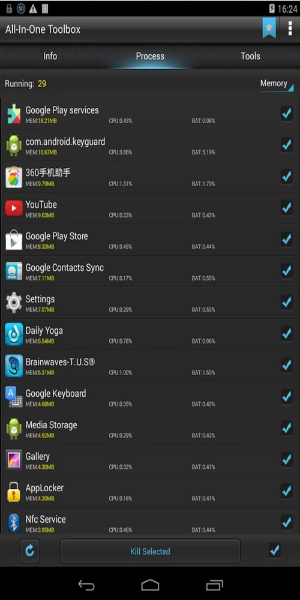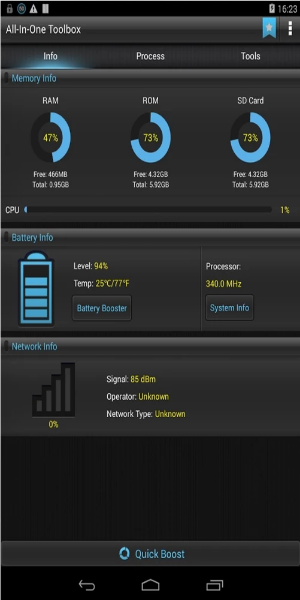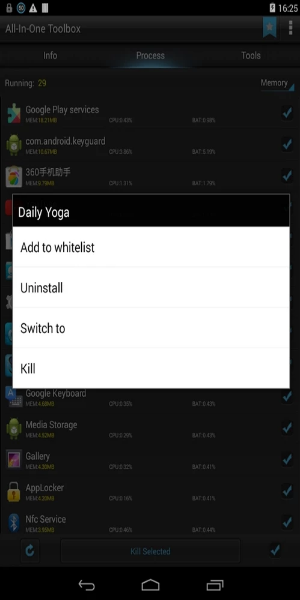
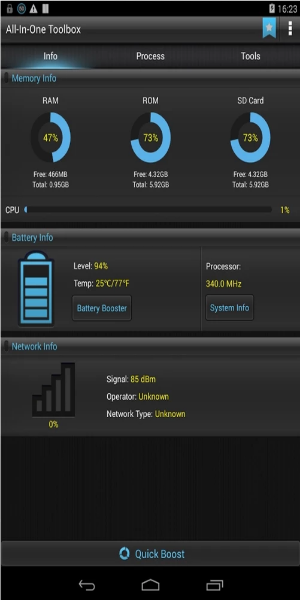
All-In-One Toolbox offers a comprehensive suite of powerful tools for Android devices, designed to free up storage, speed up performance, optimize memory usage, extend battery life, protect privacy, manage files, organize apps, and more. Quickly manage and rearrange your apps in seconds, view various system files, and make all types of adjustments with ease.
What Can All-In-One Toolbox Do for You?
Efficiently Clean Junk Files with All-In-One Toolbox
If you need a tool to quickly free up memory without spending too much time, All-In-One Toolbox is the ideal choice. As the name suggests, it packs a complete set of features, letting users enjoy smooth performance without complications. Over time, smartphones slow down, often due to junk files piling up in memory. To keep your device running efficiently, All-In-One Toolbox helps clear app caches, free up RAM, and remove search histories that cause lag. Using these features lets you maintain peak smartphone performance for a faster, more responsive experience—All-In-One Toolbox is your reliable partner for effortless device optimization.
Launcher Manager and System Booster
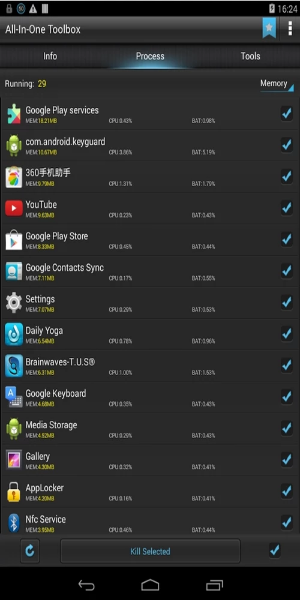
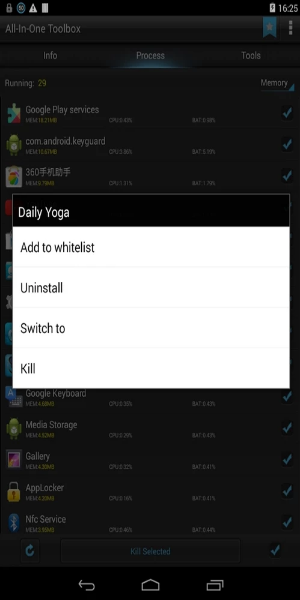
Battery drain often comes from apps running in the background, using power and taking up memory. Activating the background app shutdown feature helps avoid memory bloat and improves overall phone smoothness.
Uninstall or Remove Unnecessary Apps
Over time, unused apps can build up and take storage space, slowing your phone down. All-In-One Toolbox offers an essential solution—it helps identify and remove unwanted apps, freeing up space and improving performance. This not only lightens your device's load but also makes it faster and more usable.
Additionally, the app lets you reorganize or uninstall applications based on usage patterns, so you never have to worry about running out of space. It also helps you better organize files and clear out useless junk.
Manage Files on Memory Cards with a Variety of Other Features
Besides these functions, All-In-One Toolbox includes many other helpful tools. You can download multiple APK files at once to save time, and easily back up or restore installed apps in just a few steps.
Explore more than 29 tools packed with functions for boosting your phone's performance. You can also scan barcodes for instant info and improve gaming performance to eliminate lag.
How to Download All-In-One Toolbox?
Step 1: Click on the Download Button
Start by clicking the download button on this page.
Step 2: Locate APK File in File Manager
After downloading, open your file manager to find the APK file.
Note: Enable Unknown Sources
Since All-In-One Toolbox is a modified third-party app, you must enable "Unknown Sources" in your Android settings to allow the installation.
Step 3: Install All-In-One Toolbox APK
Tap the downloaded APK file and follow the on-screen steps to install the app.
Step 4: Launch All-In-One Toolbox Premium
Once installed, tap the app icon on your home screen to open All-In-One Toolbox Premium.
Congratulations! You've successfully installed and launched the app on your Android device.
Download All-In-One Toolbox Now!
When it comes to security apps, All-In-One Toolbox is a top pick. It works with almost every smartphone model and prioritizes your data privacy and safety. Ignoring privacy can leave you open to threats—installing All-In-One Toolbox helps protect your personal information from unauthorized access.
Tags : Tools