Mejore el diagnóstico de su vehículo con el complemento LT Advanced para Torque Pro, diseñado específicamente para vehículos KIA. Este complemento le permite monitorear una amplia gama de parámetros específicos de KIA en tiempo real, incluido el motor avanzado y los datos del sensor de transmisión automático. Con el LT avanzado, puede probar el complemento con un conjunto limitado de sensores antes de decidir comprar, aunque no incluye sensores calculados como el ciclo de trabajo del inyector (%) o el modo VIVEC.
Tenga en cuenta que si bien el complemento puede funcionar con otros modelos y motores KIA, se ha probado a fondo a continuación:
- Carnaval/Sedona 3.8 V6
- Carnival/Sedona 2.7 V6
- Carnival/Sedona 2.2 CRDI
- Cee'd 1.4/1.6 MPI
- Cee'd 2.0 mpi
- Cee'd 1.4/1.6 CRDI
- Cee'd 2.0 crdi
- Cee'd 1.6 GDI
- Cerato/Forte 1.6 MPI
- Cerato/Forte 1.8 MPI/GDI
- Cerato/Forte 2.0 MPI/GDI
- Optima/K5 2.0 Turbo
- Optima/K5 2.0/2.4 GDI
- Mohave/borrego 3.8 v6
- Mohave/Borrego 3.0 CRDI
- Río 1.4/1.6 MPI
- Río 1.2 MPI
- Alma 1.6 MPI
- Soul 2.0 MPI
- Sorento 2.4 GDI
- Sorento 3.5 V6
- Sorento 2.0/2.2 CRDI
- Spectra/Cerato 1.6 MPI
- Spectra/Cerato 2.0 MPI
- Sportage 2.0 MPI
- Sportage 2.7 V6
- Sportage 2.0 CRDI
- Sportage 1.6 MPI
- Sportage 2.0/2.4 MPI/GDI
- Venga 1.4/1.6 MPI
- Venga 1.4/1.6 CRDI
El complemento también cuenta con un escáner ECU, que es invaluable para identificar sensores específicos en los motores KIA que aún no son compatibles con el complemento. Para utilizar esta función, debe grabar al menos 1000 muestras y enviar los registros al desarrollador.
Para usar Advanced LT, debe tener la última versión de Torque Pro instalada, ya que este complemento no es una aplicación independiente y no funcionará sin Torque Pro.
Instalación de complementos
Siga estos pasos para instalar el complemento LT Advanced:
- Después de descargar el complemento de Google Play, asegúrese de que aparezca en la lista de aplicaciones instaladas de su dispositivo Android.
- Inicie torque Pro y haga clic en el icono "Avanzado LT".
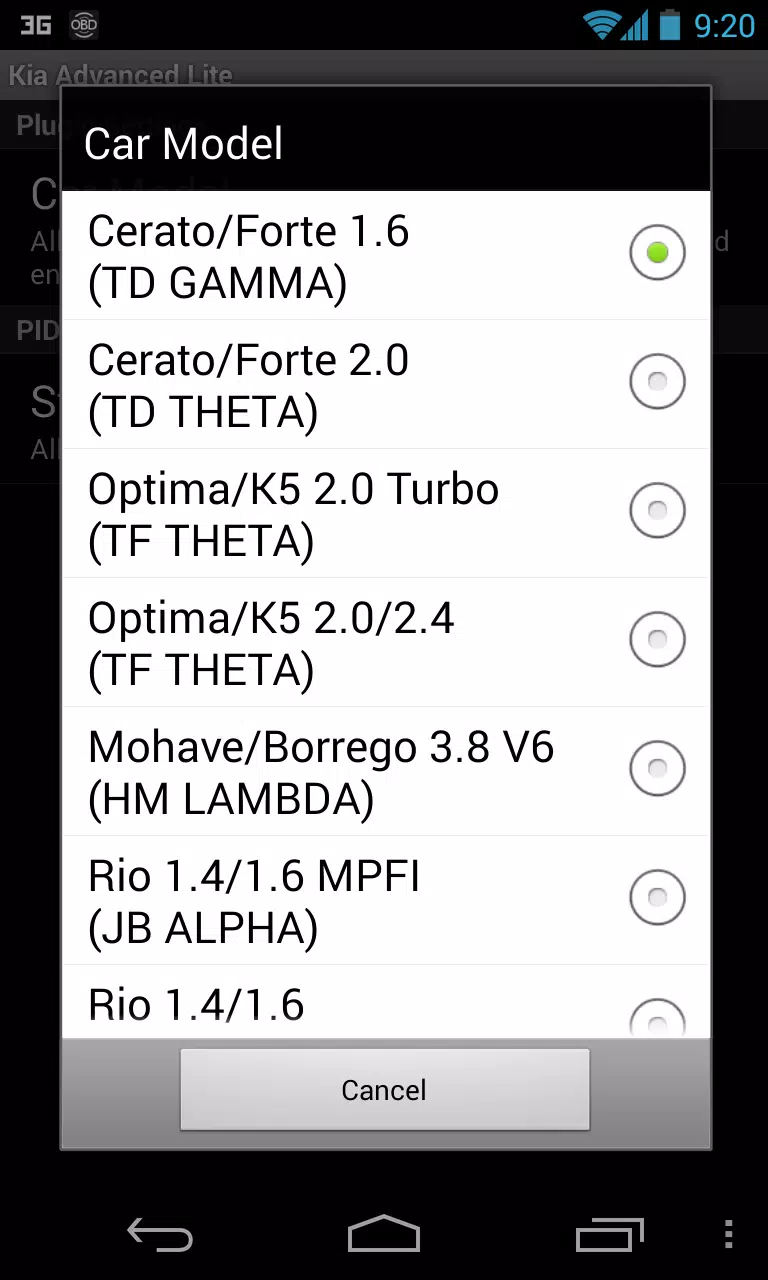
- Seleccione el tipo de motor apropiado y regrese a la pantalla principal de Torque Pro.
- Vaya a Torque Pro "Configuración".
- Verifique que el complemento se enumere en Torque Pro navegando a "Configuración"> "Plugins"> "Plugins instalados".
- Desplácese hacia abajo para "administrar PID/sensores adicionales".
- Esta pantalla generalmente no mostrará ninguna entrada a menos que haya agregado previamente PID predefinidos o personalizados.
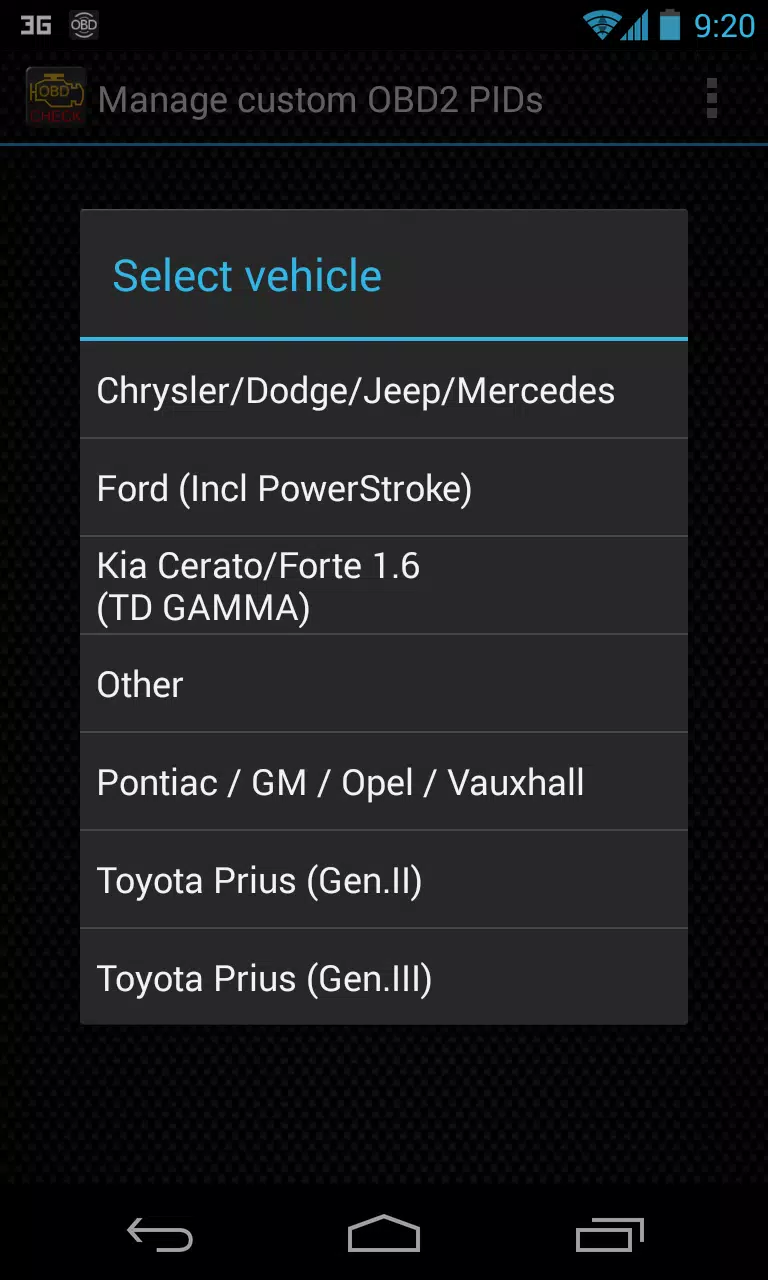
- En el menú, elija "Agregar conjunto predefinido".
- Asegúrese de seleccionar el conjunto correcto para su tipo de motor KIA.
- Después de seleccionar la entrada apropiada, debe ver entradas adicionales en la lista de PID/sensores adicionales.
Agregar pantallas
Una vez que haya agregado los sensores adicionales, puede configurar pantallas para monitorearlos:
- Navegue a la información/tablero de tiempo real en Torque Pro.
- Presione la tecla Menú y luego haga clic en "Agregar pantalla".
- Elija el tipo de visualización apropiado (dial, barra, gráfico, pantalla digital, etc.).
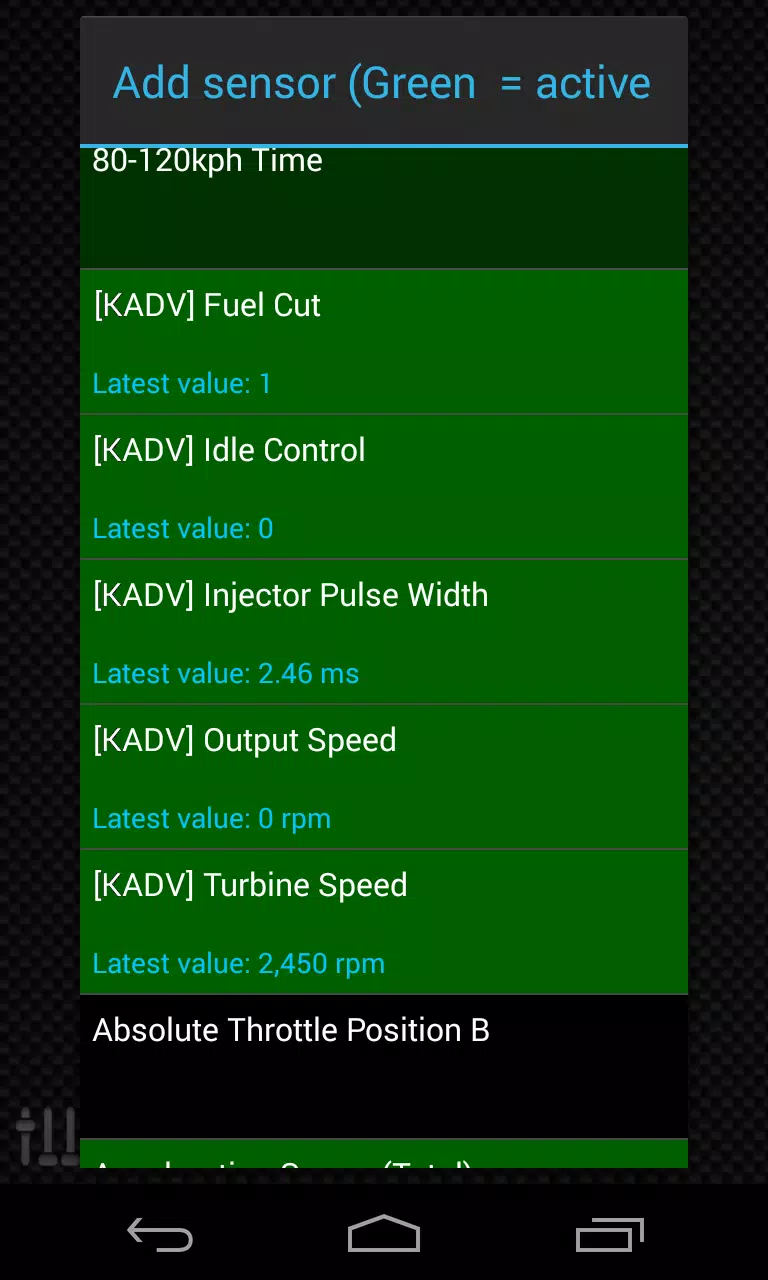
- Seleccione el sensor que desea monitorear. Los sensores proporcionados por Advanced LT tienen prefijo "[KAdv]" y deben aparecer cerca de la parte superior de la lista, justo después de los sensores de tiempo.
Las actualizaciones futuras incluirán más características y parámetros. Si tiene algún comentario o sugerencia, no dude en compartirlos con el desarrollador.
Etiquetas : Auto y vehículos
CD > ER > ATK% > Speed (only if needed for turn order)
❌ Avoid: HP%, DEF%, Healing Bonus (unless for a niche support role)
2. Artifact Sets (Recommended)
✅ Best Set (High Burst DPS)
2pc: "The Wasted Heir" (Quantum)
4pc: "The Wasted Heir" (Quantum)
Effect: After using an Elemental Burst, gain 30% ATK% and 30% SPD for 1 turn. This stacks up to 2 times.
💡 Why it’s great: Massive burst boost, perfect for a Quantum DPS. The 30% ATK% and SPD boost dramatically increases damage on burst turn.
⚠️ Note: Requires 2-stack management (use burst, then use another ability to refresh the buff). You’ll want to use burst, then normal attack to maintain uptime.
🔁 Alternative (if "The Wasted Heir" not available)
2pc: "Searing Moon" (Quantum)
2pc: "Stalwart and Sojourner" (Quantum)
4pc: "Searing Moon" (Quantum)
Effect: After breaking an enemy, gains 20% ATK% and 20% EM (Energy Multiplier) for 2 turns.
💡 Best for: Enemies with high defense or shields, especially in Abyss floors or hard mode.
🔥 High-Efficiency Set (if you need more CDR/ER)
4pc: "The Wasted Heir" (Quantum)
4pc: "The Wasted Heir" (Quantum) + 2pc: "Searing Moon" (if you're struggling with CDR/ER)
✅ Use 2pc: "The Wasted Heir" + 2pc: "Searing Moon" only if you're maxing CDR and want extra EM for Weakness Break.
🛡️ Auras (Emblems) – Aura Selection
Note: Auras (Emblems) are passive traits that enhance stats based on character level, rank, and talent level.
✅ Best Aura (Maximize Burst Damage)
Emblem: "The Wasted Heir" (Quantum)
Effect: After using an Elemental Burst, gain +30% ATK% and +30% SPD for 1 turn.
Why: Directly increases damage output on burst turn.
✅ Best for: Single-target burst, boss fights, and hard-mode Abyss.
🔁 Alternative Auras
Emblem: "The Wasted Heir" (Quantum) + 2pc: "Searing Moon" (if you want EM boost on Break)
Emblem: "Searing Moon" (Quantum)
Effect: After breaking an enemy, gain +20% ATK% and +20% EM for 2 turns.
⚠️ Use this only if you're fighting enemies with high defense or shields.
🧩 Talent Priorities
Ultimate (Burst): Max as #1 priority (most damage output).
Normal Attack: Max to maintain energy and for sub-ability usage.
Skill: Max only if it provides useful utility (e.g., energy regeneration, shield, or status effect).
Evasion/Defensive Skills: Usually not prioritized unless you’re in a very hard mode or need survivability.
✅ Golden Rule: Burst > Normal Attack > Skill
🎮 Team Synergy Tips
Support Pairing:
Use a Quantum Break DPS (e.g., Acheron, Yanqing) to trigger Weakness Breaks.
Pair with a Debuff/DoT support (e.g., Herta, Pela, Fu Hua) to extend burst uptime.
Include a CDR or ER support (e.g., Machina, Setaria) to enable faster bursts.
Energy Management:
Use characters like Sampo (if available) or Luka to regenerate energy fast.
Perfect Turn Order:
Place Heirs after your energy regenerator or support, so they can burst immediately.
📊 Final Build Summary
Stat
Target
Notes
Main Stat
ATK% (if using 4pc The Wasted Heir)
Otherwise CR or CD
Sub-Stats
CR > CD > ER > ATK% > SPD
Prioritize CR/CD balance
Artifacts
4pc "The Wasted Heir" (Quantum)
Best for burst damage
Emblems
"The Wasted Heir" (Quantum)
Boosts burst damage
Talents
Ultimate > Normal Attack > Skill
Max Ultimate first
🏁 Final Thoughts
Abyss's Chosen Heirs shines in high-damage burst fights, especially against bosses, elite enemies, and Abyss floors.
"The Wasted Heir" set + 4pc emblem is unmatched for Quantum DPS in 5-star tier.
Prioritize CR/CD balance, ER for energy sustainability, and team synergy.
✨ Pro Tip: Use "Quantum" or "Break" decks to maximize Weakness Break and burst damage synergy.
If you have a specific version of Abyss's Chosen Heirs (e.g., Acheron, Yanqing, or another name), let me know and I’ll tailor the guide exactly to that character.
Stay strong, Trailblazer. The Abyss awaits. 🌑⚔️" onerror="this.onerror='';this.src='/assets/images/morentu/200-200.png'" uk-cover>