Here’s a polished and concise version of your guide for Dynasty Warriors: Origins, optimized for clarity, readability, and SEO-friendly formatting while preserving all key details:
How To Switch Characters In Dynasty Warriors: Origins (Complete Guide)
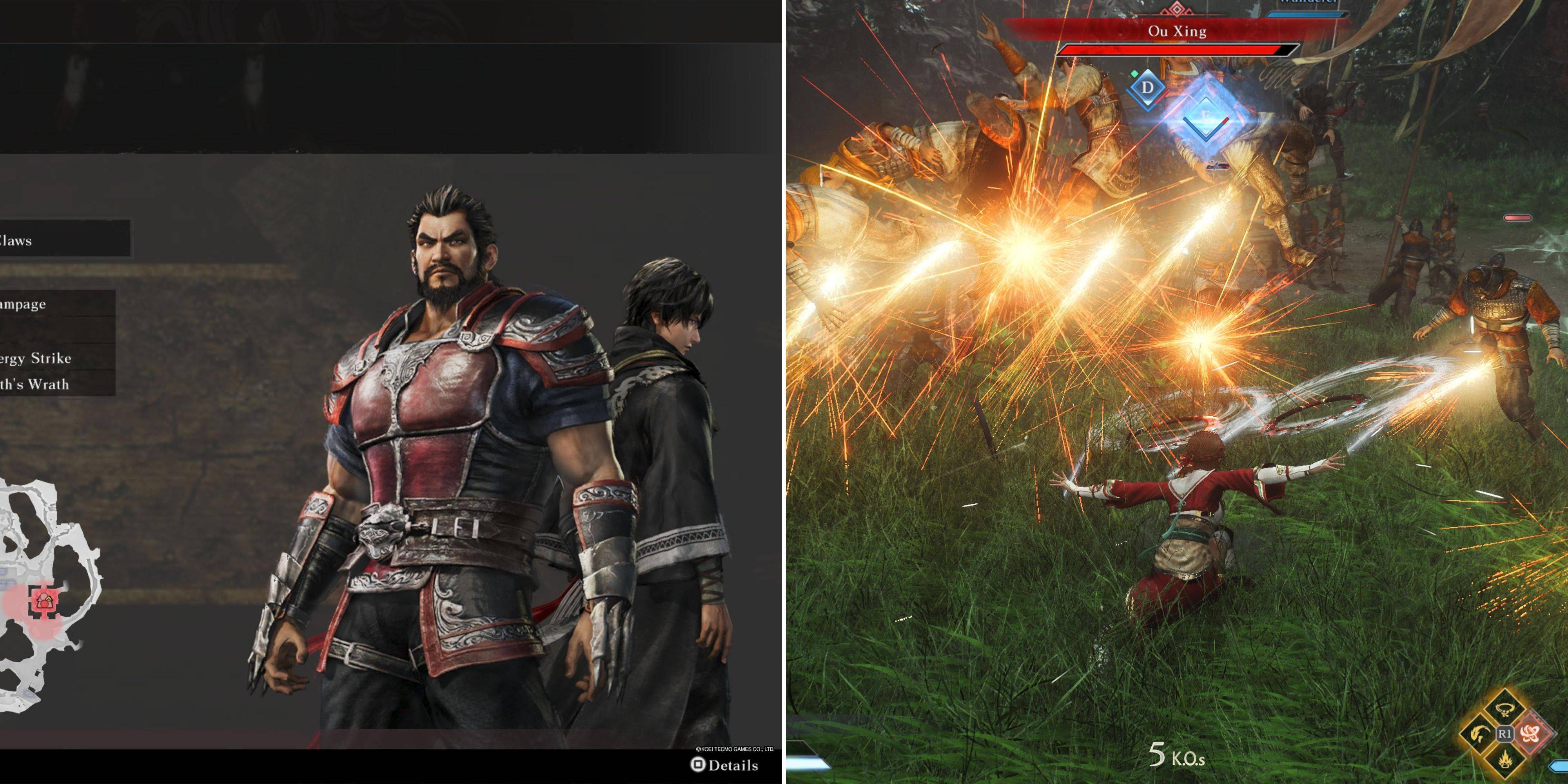
In Dynasty Warriors: Origins, you play as the Wanderer, a lone warrior on a quest to restore peace. Along the way, you’re joined by powerful allies—each with unique combat styles, devastating Musou moves, and unmatched strength. While the Wanderer is strong, switching to a companion mid-battle can turn the tide of war.
✅ Pro Tip: Controlling companions is often more effective than upgrading the Wanderer—especially in large-scale battles.
🔁 How To Switch Characters In Dynasty Warriors: Origins
You can only switch to a companion during large-scale battles where they’re present (confirmed in the War Council). Here’s how it works:
1. Select Your Companion in the War Council
- Before battle begins, access the War Council menu.
- Scroll to the final option and choose your companion.
- You can still fight solo, but companions are only available during this stage.
2. Monitor the Blue Meter in Battle
- Once combat starts, your companion’s health bar appears in the bottom-right, below yours.
- Next to it is a blue Musou-like meter (similar to your own).
- This meter fills as you:
- Parry enemy attacks
- Perform perfect dodges
- Strike enemy officers
- Use Weapon Arts
- Land successful hits
⚠️ The meter fills slower than your own Musou gauge.
3. Switch Characters When Meter Is Full
- When the blue meter is completely filled, the "Change Character" button appears.
- Hold the button for 1 second to switch:
- Xbox: Press View
- PlayStation: Press Touchpad
- PC: Press C
4. What Happens After Switching
- Your companion leaps into battle with a powerful strike—aim carefully as you switch.
- They enter combat with:
- Full Bravery (combat stamina)
- Fully charged Musou gauge
- Ready-to-use combat arts
- You can immediately unleash their unique Musou attack to obliterate enemies.
🎮 Playing As Other Characters: Tips & Strategy
- Time Limit: After switching, your companion stays under your control for ~1 minute (duration varies slightly).
- Meter Depletion: The blue meter slowly drains during control—when empty, the switch ends.
- Best Use Cases:
- Clear large enemy groups
- Break through enemy formations
- Take down bosses or elite officers
- Companion Strengths: Each has unique weapons, combat styles, and abilities (e.g., Zhao Yun’s speed, Zhang Fei’s brute force). Use their specialty moves to maximize damage.
💡 Strategy Tip: Save the switch for moments when enemy officers are grouped together—use their Musou to wipe out a whole squad in seconds.
🔄 Summary: Key Takeaways
| Feature | Details |
|---|---|
| When Can You Switch? | Only during large battles where a companion is present |
| How to Unlock Switch? | Fill the blue meter (via parries, dodges, hits, etc.) |
| Hold Button For: | 1 second (View / Touchpad / C) |
| Control Time: | ~1 minute (blue meter depletes) |
| Start State: | Full Musou, full Bravery, ready to use special moves |
🏁 Final Thoughts
Switching to a companion in Dynasty Warriors: Origins isn’t just a gimmick—it’s a core combat mechanic that lets you exploit powerful characters at critical moments. Master the timing, use their full potential, and you’ll dominate even the toughest battles.
🛡️ Remember: The best switch isn’t just about power—it’s about perfect timing and positioning.
✅ Now you’re ready to take control of legendary warriors and reshape the battlefield.
Go forth and unleash the fury of the ancients.
Let me know if you’d like a printable PDF version, a cheat sheet, or a companion-by-companion switch guide (e.g., Zhao Yun, Zhang Fei, etc.)!