
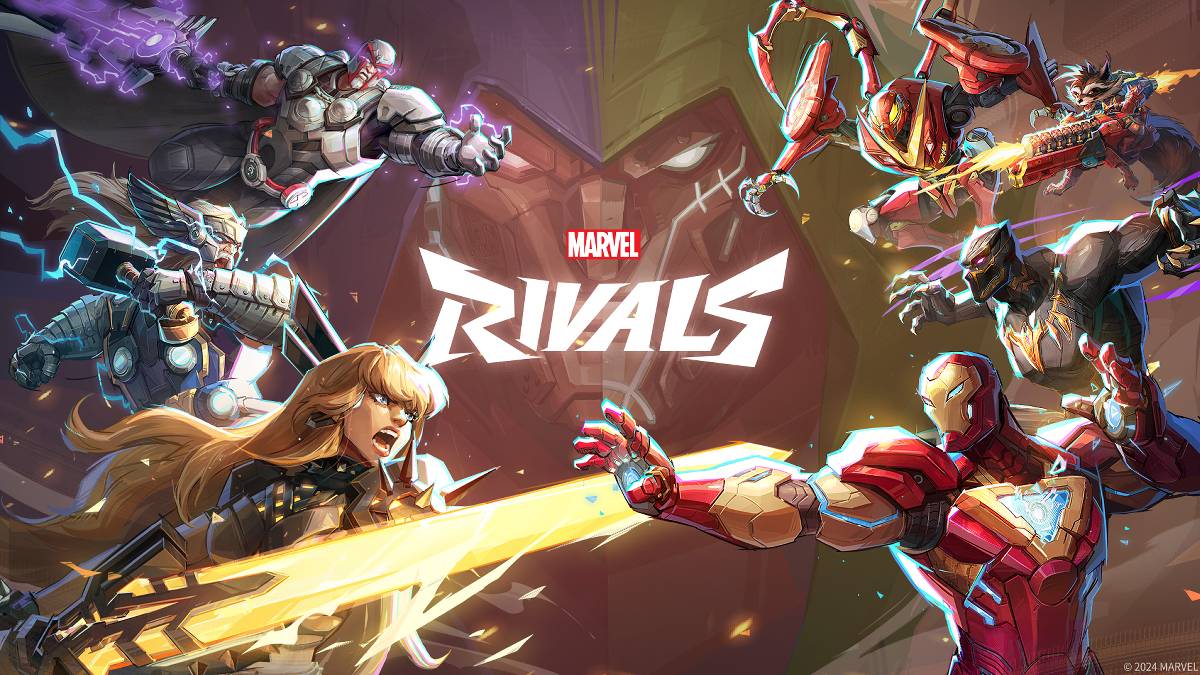
トラブルシューティング マーベルライバル エラーコード:包括的なガイド
残念ながら現代のゲームではバグやエラーコードに遭遇することは一般的であり、 マーベルライバル も例外ではありません。このガイドは、ゲームを楽しむことを妨げる可能性のあるさまざまなエラーコードのソリューションを提供します。これらの問題は、ゲームプレイを完全に防ぐことから、クラッシュ、ラグ、またはスタッターを引き起こすことにまで及びます。
一般的な マーベルライバル エラーコードとソリューション
| Error Code | Description | Solution |
|---|---|---|
| Error 4 | Primarily affects PlayStation, but may also occur on PC. | Check internet connection; Verify server status; Relaunch *Marvel Rivals*. |
| 99% Loading Bug | Game gets stuck at 99% during match loading. | Check internet connection; Close background applications; Adjust Network Diagnostic Settings. |
| Error 211 | Frequent on Steam, due to connection problems. | Verify server status; Disable third-party server blockers; Check internet connection; Verify game files. |
| Error 10 | Appears on launch, typically due to poor internet connection. | Check internet connection; Relaunch *Marvel Rivals*; Verify server status. |
| Error 220 | Potentially caused by server location or firewall settings. | Modify security firewalls; Adjust DNS settings; Disable third-party server blockers; Use a VPN. |
| Error 21 | Sometimes encountered by Xbox players on launch. | Restart console; Reset router; Verify server status; Disable IPv6 on internet connection; Use a VPN. |
| Error 5 | Affects PlayStation players; indicates high ping and packet loss. | Address high ping and packet loss (often requires investigating network infrastructure). |
| Error 26 | Prevents gameplay. | Check internet connection; Disable VPN; Clear cache files; Verify game files. |
| Packet Loss Error | High ping and packet loss due to high latency spikes. | Check internet connection; Close background applications; Adjust Network Diagnostic Settings. |
| DX12 Not Supported | Game fails to launch due to unsupported DX12; often linked to Windows updates or GPU incompatibility. | Update to the latest Windows version; Update GPU drivers; Reinstall *Marvel Rivals*. |
| Error Code 258 | PC launcher login failure; common with Epic Games Store. | Investigate Epic Games Store-specific troubleshooting steps. |
| Error LS-0014 | Epic Games Store-related error. | Check antivirus software; Verify game files; Reinstall the game. |
| Igniting the Timestream | Occurs during matchmaking. | Verify server status; Restart the game; Check internet connection. |
| Version Mismatch | Appears after game updates. | Verify game files; Check for updates; Check internet connection. |
| Out of Video Memory | Prevents gameplay. | Check VRAM; Update GPU drivers; Close background applications. |
- Marvel Rivals*は現在、PS5、PC、およびXboxシリーズXで利用できます。
最新の記事
-
『ステラリア』EVE、NIKKEコラボで登場か ― ライブストリームでお披露目 May 10,2026
-
『マリオペイント』がNintendo Switchオンラインにマウス対応で登場 May 08,2026
-
終焉の争いを終わらせる:キングダムカム・デラックス2クエストガイド May 07,2026
-
『Pokémon GO』ウォーターフェスでメガバンギラスが登場! May 06,2026
-
『DOOM』と『DOOM 2』に大型アップデート到来 May 04,2026
-
『BLEACH ブレイブソウルズ』が10周年テーマとしてCö shu Nieを迎える May 02,2026
-
Amazonでマンチキンのバットゲームが過去最低値に May 02,2026
-
『ストレンジャー・シングス』クリエイターが第5シーズン前に再視聴を推奨するエピソード4選 May 01,2026
トレンドのゲーム
+




トピック
+
-
人気のアーケード クラシックと新作 Jan 01,2025
-
Androidユーザー向けのエキサイティングなアドベンチャーゲーム Jun 15,2025
-
他のアプリケーションの世界を探る Mar 05,2025
-
毎日の更新用のニュースおよび雑誌アプリ Jun 30,2025
-
ホリデーショッピング:トップピックとギフトのアイデア Feb 27,2025
トップニュース
+
-
04-10ドラマクエイサー オリジンズ – キャラクターの切り替え方法 Here's a clear, concise, and well-structured summary of the character switching mechanics in Dynasty Warriors: Origins, optimized for quick reference and readability: 🔁 How To Switch Characters In Dynasty Warriors: Origins Switching characters is on
-
04-16ランズケープに「ヒース」呼ばれる盗賊スキルの新規アクティビティが追加される RuneScape Heists が今日リリース – ローグになり、スティールで! 伝説的な世界ギーリノアは今やずっと暗く、そしてよりエキサイティングになりました。 RuneScapeの新しくて革新的なHeistsアップデートが公開されました。これは、マスター・ザイフになることの意味を再定義する、高リスクでドリームを感じるスキル体験が登場しました。 🕵️♂️ 影の中へ:盗みの再解釈 盗みは今やレベル90から120まで拡張され、プレイヤーは現在、隠密作戦に深く潜ることができます。単なる店長の小銭
-
03-07クラフトウォリアーズ、戦略ゲームの新フェーズへ再出発 Craft Warriors Frontier: A New Era for a Beloved Franchise Once a cult favorite among mobile strategy fans, Craft Warriors made its mark with deep sandbox mechanics, rich character creation, and an immersive town-building experience. After its unexpe
-
02-20新Kindle Colorsoft、過去最低価格で登場。コミックに最適 Amazonの公式ブラックフライデーセールで、最新の16GB Kindle Colorsoftタブレットを大幅に値下げされた価格で購入できる絶好の機会です。この製品は過去最低価格を記録し、これまでで最も手頃な価格となりました。現在の価格はわずか$169.99で、元の定価$249.99から$80の割引となります。2024年初頭に発売された人気のKindle Colorsoftの新バージョンであり、快適な読書体験を求めていた方にとって、今回の休日セールが最適な購入タイミングです。16GB Kindl
-
02-08Lenovo Legion 5 OLEDモデル、RTX 5070搭載で1271ドルに レノボのバック・トゥ・スクールセールは終盤に差し掛かっていますが、依然として素晴らしいお買い得品が登場しています。際立ったオファーの1つが、OLEDディスプレイとRTX 5070 GPUを搭載したLenovo Legion 5 Gen 10ゲーミングノートPCで、2つのクーポンコードBUYMORE4SCHOOLとEXTRAFIVEを適用すると、わずか1,270.90ドルになります。これにより合計374ドルの節約となります。予算重視のLOQと高級モデルのLegion 5 Proの中間に位置するLe