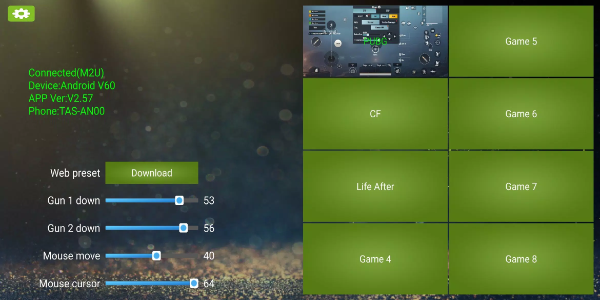
KuGamer is a versatile application that enables seamless management of your mouse and keyboard converters. Users can effortlessly customize key mappings, store configurations, and update device firmware through an intuitive interface. It's the ideal tool for gamers and professionals who require accurate control and enhanced efficiency during gaming sessions or work tasks.
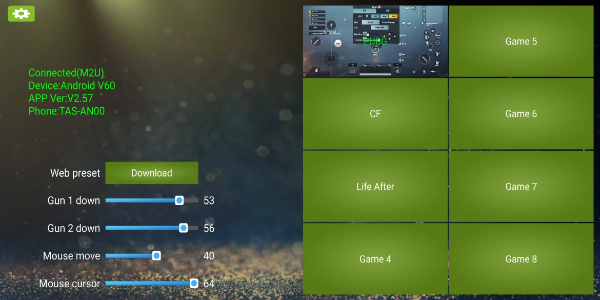
How to Use KuGamer
Editing Key Mapping
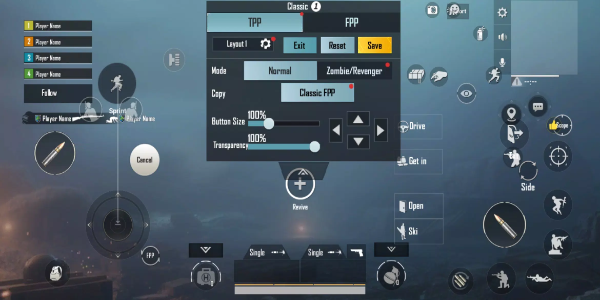
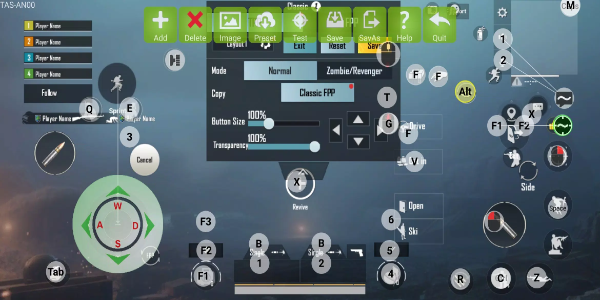
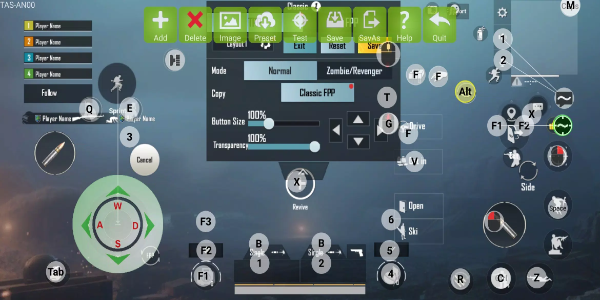
Open the KuGamer application and go to the key mapping area.
Choose the keys or buttons on your mouse and keyboard converter that you want to assign new functions.
Set specific commands or behaviors to each key based on your personal preferences.
Keep your customized key mapping setup for later use or apply it to various activities.
Saving and Managing Configurations
After you finish configuring key mappings, select the "Save" or "Save As" option to store your setup.
Build multiple configuration profiles designed for different games or workflows by storing each as an individual file.
Conveniently switch among your saved profiles in the app whenever your requirements change.
Updating Firmware
Access the firmware update section in KuGamer's settings or dedicated menu to check for available updates.
Follow the step-by-step instructions displayed on the screen to download and install the most recent firmware version for your converter.
Keep your device connected to the internet throughout the updating process to ensure smooth installation.
Navigating the User Interface
The KuGamer app provides a straightforward and user-friendly interface for easy navigation.
Locate key mapping tools, profile management, and firmware updating options through clearly marked menus and icons.
Refer to integrated tooltips or help guides for extra support in learning specific features and capabilities.
Optimizing Performance
Experiment with alternative key mappings to identify the best configuration for your gaming approach or productivity requirements.
Refine individual settings to achieve maximum control and responsiveness across your preferred games or software.
Use KuGamer's adaptable design to fine-tune your setup for various situations, ultimately improving performance and user satisfaction.
Features of KuGamer
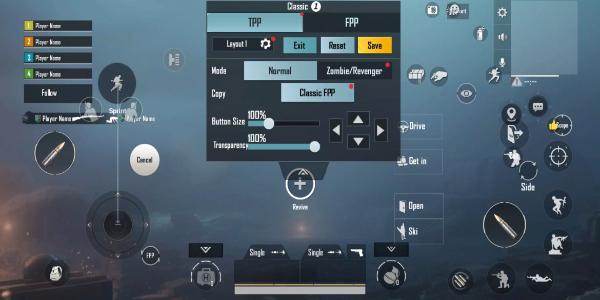
Customizable Key Mapping
KuGamer gives you the ability to personalize your gaming or work environment through fully customizable key mappings. Whether you're improving controls for a specific game or enhancing task efficiency, this feature allows you to fine-tune every input for better performance and comfort.
Save and Manage Configurations
KuGamer provides straightforward profile management, enabling users to save and organize several key mapping setups. Whether you switch frequently between games or adjust for different applications, this function enables easy transitions without repetitive manual configuration.
Firmware Update Capability
Keep your hardware current with KuGamer’s built-in firmware update function. This ensures your converter stays compatible and operates with the latest optimizations, often including new features to enrich your experience.
Intuitive User Interface
Developed for user convenience, KuGamer features an easily navigable interface that allows quick access to key mapping and firmware update tools. Simple menus and clear directions make customization easy for users at every skill level.
Compatibility and Support
KuGamer is compatible with a broad variety of mouse and keyboard converter brands and models. This wide-ranging support offers flexibility when choosing devices and ensures trouble-free integration into diverse gaming or professional arrangements.
Enhanced Control and Performance
With KuGamer’s key mapping optimization, you gain improved command precision and faster response times in games or productivity apps. Adjusting configurations helps you execute actions accurately, boosting both your competitive gameplay and daily work efficiency.
Unlock Precision and Efficiency with KuGamer
Elevate your gaming and professional performance with KuGamer. Personalize key assignments, handle multiple profiles with ease, and keep your hardware updated through automated firmware checks. Install KuGamer today to enhance your setup and bring your control to a higher standard.
Tags : Lifestyle