Meet File Manager Plus for Android—a free, fast, and fully-featured file explorer that makes managing your device, local network, and cloud storage simple. With a clean interface and intuitive controls, it’s easy to organize, move, and analyze files across all your connected spaces.
What Makes File Manager Plus Special
Your Complete File Management Hub:
File Manager Plus is the ultimate tool for browsing files and folders on Android. It supports a full range of actions like open, search, navigate, copy, paste, cut, delete, rename, compress, extract, transfer, download, bookmark, and organize—handling everything from media files to APKs with ease.
Unified Storage Control:
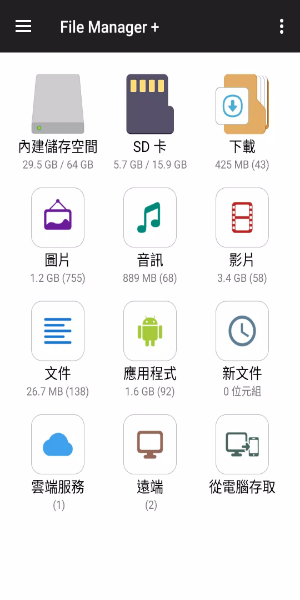
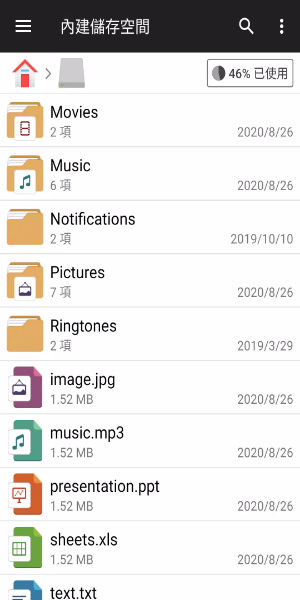
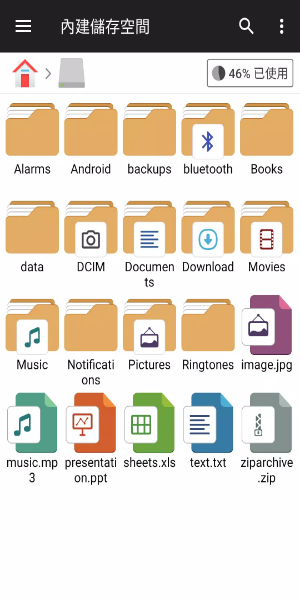
Seamlessly manage files across internal storage, SD cards, and USB OTG drives. Downloads, new files, images, audio, video, and documents are neatly categorized for quick access. You can also view and manage all apps installed on your device directly from the file manager.
Cloud & Remote Connectivity:
Access popular cloud services like Google Drive™, OneDrive, Dropbox, Box, and Yandex, plus remote storage such as NAS and FTP servers. You can even connect to your Android device's storage from a PC via FTP for smooth file transfers.
Storage Insights & Cleanup:
Analyze your local storage to find and remove unnecessary files, freeing up valuable space. Quickly see which files and apps are using the most storage and take action to keep your device running smoothly.
Built-in Tools & Utilities
Integrated Media Handling:
View images, play music, and edit text files right inside File Manager Plus. These built-in tools deliver fast, seamless performance for working with media and documents on the go.
Archive Support:
Compress and extract archive files effortlessly. The app supports creating zip files and extracting from common formats like zip, gz, xz, and tar archives.
Works Across Your Devices:
Built for Android TV, phones, and tablets, File Manager Plus delivers a consistent, optimized experience on every screen, tailored to your device’s form factor.
Designed for Ease & Accessibility
Simple, Powerful Interface:
File Manager Plus offers an intuitive and clean interface that works for beginners and experts alike. Layout and navigation are designed for quick access to all essential file operations.
Free with No Strings Attached:
File Manager Plus is completely free—no hidden costs, in-app purchases, or restrictions. You get all features from the moment you install it, for a full-powered file management experience.
Stay Organized & Secure:
Keep your files and folders neatly organized in a secure environment. The app ensures all file operations are performed safely and efficiently, so your data stays protected.
Download File Manager Plus now and take full control of your files. Enjoy smooth, efficient file management across all your devices with one powerful app.
Tags : Productivity