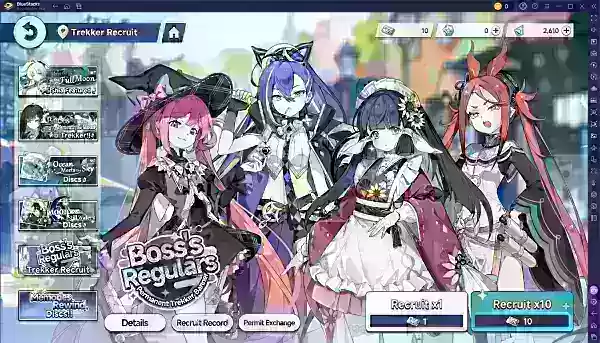
Stella Sora, Yostar's latest action RPG, delivers engaging top-down exploration, dynamic combat, and a collection of recruitable heroes called Trekkers. These endearing characters are depicted as beautifully designed chibi sprites, each with distinct expressions and abilities. As with many gacha-style games, your initial summons can greatly impact your progression, making rerolling a key tactic for players seeking a powerful early-game advantage.
The Benefits of Rerolling in Stella Sora
Rerolling involves restarting your game to repeatedly perform initial summons until you acquire high-tier characters. This practice is widely adopted by dedicated players in gacha games, and Stella Sora follows the same pattern. Although it requires an investment of time, rerolling ensures you begin your journey with a competitive roster from the very start.
Your starter team in Stella Sora plays a critical role in your ability to progress through the storyline. Securing a powerful 5-star Trekker early on simplifies combat, accelerates your completion of early stages, and lays a solid foundation for future achievements. Given the generous initial banners and complimentary summons typically offered at launch, rerolling during the game's opening phase is one of the most effective ways to enhance your overall experience. Consider it an upfront time investment that reduces long-term challenges.
How Rerolling Functions in Stella Sora
Ultimately, rerolling in Stella Sora focuses on obtaining a strong 5-star Trekker as early as possible. To approach this process wisely, it's essential to first understand the summoning rates. Below are the base gacha probabilities in Stella Sora:
Accelerate Your Rerolling in Stella Sora Using BlueStacks
For those playing Stella Sora on a PC or laptop, BlueStacks and its specialized tools can significantly speed up the rerolling process. Utilize the platform’s Multi-Instance Manager by first downloading and installing the game on a designated primary instance of BlueStacks.
Next, clone this primary instance multiple times according to your system's capabilities. The synchronization feature allows you to operate numerous instances simultaneously, performing rerolls in parallel. If a set of rerolls doesn't yield the desired outcome, simply delete the cloned instances and generate new ones from the original master instance.
With BlueStacks, players can also enjoy Stella Sora on a larger PC or laptop screen, taking full advantage of keyboard and mouse controls for an enhanced gameplay experience.