Google Sheets is a versatile spreadsheet tool that lets you create, edit, and collaborate on spreadsheets directly from your Android device. With features like real-time teamwork, offline access, and auto-saving, it helps you manage and analyze data efficiently. It also supports Excel files and uses smart AI insights to boost productivity.
Google Sheets: The Ultimate Spreadsheet Tool
Google Sheets is a flexible, cloud-based spreadsheet app designed to improve productivity and simplify teamwork. Whether you’re using your Android phone, tablet, or a desktop, you can easily create, edit, and share spreadsheets. It integrates smoothly with Google Workspace, offering a complete solution for organizing and analyzing data.
Key Features of Google Sheets
Create and Edit Spreadsheets
With Google Sheets, you can start new spreadsheets or update existing ones right from your mobile device. The easy-to-use interface helps you format cells, enter or sort data, and apply formulas for complex calculations. Tools like find and replace and data validation give you full control at your fingertips.
Real-Time Collaboration
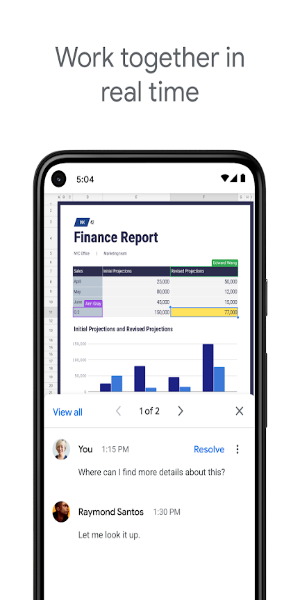
Teamwork is simple with Google Sheets. Share your files with others and work together in real time. Everyone can see updates as they happen, which improves efficiency and reduces errors. You can also leave and reply to comments for clearer feedback and communication.
Offline Access
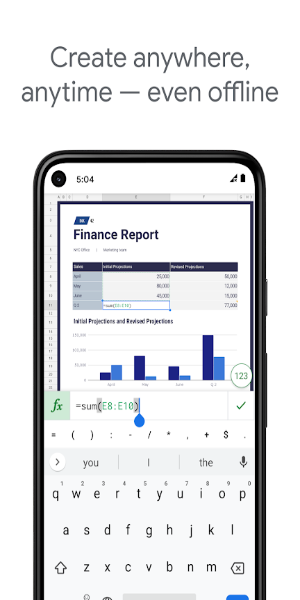
One of Google Sheets' best features is offline access. Without internet, you can still create, view, and update your spreadsheets. Once you reconnect, your changes sync automatically so nothing gets lost.
Automatic Saving
You won't lose your work with Google Sheets. The app saves changes as you type, so there's no need to manually save. This keeps your data secure and up to date.
Smart Suggestions and Insights
Google Sheets uses AI to provide smart tips for formatting, data analysis, and creating charts. Get quick insights and improve your spreadsheets with automated suggestions that simplify your work.
Excel Compatibility
The app works seamlessly with Microsoft Excel. You can open, edit, and save Excel files without issues. This makes it easy to collaborate with Excel users and keep your workflow smooth across platforms.
Advanced Tools for Google Workspace Users
Google Sheets is part of Google Workspace, which offers extra features for subscribers:
Better Collaboration Tools
Google Workspace users get enhanced collaboration. Easily invite team members, track live changes, and get alerts for updates. Built-in chat lets you talk to coworkers right inside the spreadsheet for faster teamwork.
Advanced Insights with Google AI
Subscribers get access to smarter data analysis powered by Google AI. Quickly generate insights and forecasts to support data-driven decisions.
Seamless Integration and Strong Security
Google Sheets works well with other business tools, simplifying data analysis and management. Enterprise-level security keeps your data safe, and custom solutions can be designed for your unique needs.
Advanced Data Analysis and Custom Solutions
Analyze data from multiple sources and build tailored solutions for your business. Google Workspace offers powerful integrations and tools to help you manage and understand your data.
Get Started with Google Sheets Today!
Google Sheets is more than a spreadsheet app—it's a powerful tool for teamwork, data analysis, and getting things done. Whether you're handling personal projects or business tasks, it offers the flexibility, features, and security to succeed. Download Google Sheets now and discover modern spreadsheet management.
With Google Sheets, you can confidently handle data tasks, collaborate smoothly with your team, and make smart decisions using intelligent insights. Use the power of cloud-based spreadsheets to improve your productivity with Google Sheets.
Tags : Productivity